BETA Full features, free, no payment details required.
myInventory
Inventory management for basements, garages, storage rooms and workshops

Know what you have. And where.

Boxes sit on shelves, shelves stand in basements, and the cordless drill is in one of them. myInventory keeps track of what is where: you take a photo, AI recognizes the item, and the map shows the location.

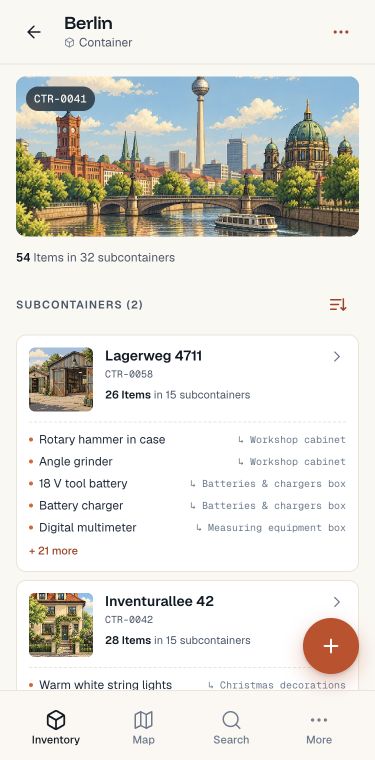
myInventory app with nested containers and a contents preview in the Berlin demo inventory
App screenshots with example inventory data.
Two questions, one answer

Search works both ways.

Sometimes you know the box and want to know what is inside. Sometimes you know the item and want to know where it is. myInventory answers both from the same data: each item belongs to one container, and every container knows its path.

Closed storage chest for travel bags in the attic
Start with the chest

What’s in the chest?

You are standing in front of the closed chest in the attic and cannot remember what is inside. Open the container in myInventory and see its contents — without lifting the lid.

Travel bags · CTR-0045
2 items · Hard-shell suitcase, weekender bag
Weekender bag with its storage location recorded in the demo inventory
Start with the item

Where is my travel bag?

You need your travel bag for the weekend. But is it in the cabinet or upstairs in the attic? One search term gives you the full path to it.

Result · Weekender bag
Berlin › Inventurallee 42 › Attic › Travel bags
Structure

Reflect how things really are.

Containers can be nested freely. Our recommendation: follow your real storage layout. City, house, floor, room, cabinet, box. Then you can find things without searching, because you already know the way.

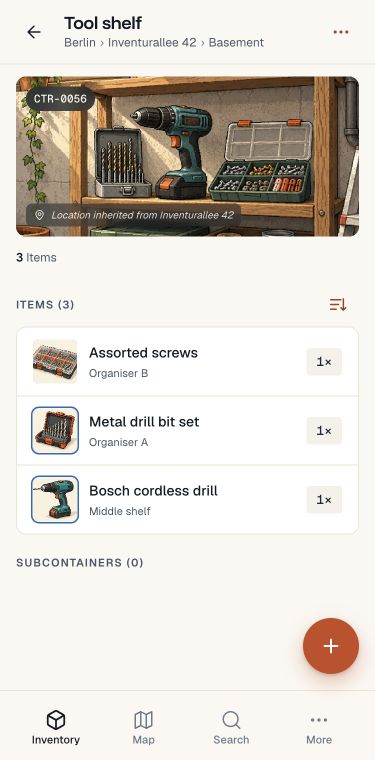
Items can sit at every level, not just at the bottom. The cordless drill is on the tool shelf, the travel bag in the attic. Both are right.

Set coordinates only at geographic levels. Everything below inherits the location from the nearest ancestor, so the map shows two pins rather than forty.

GPSLevel with its own coordinates
SharedSomeone else’s inventory, shared with you
Tool shelf inventory with item photos, quantities and inherited storage location

Berlin › Inventurallee 42 › Basement › Tool shelf

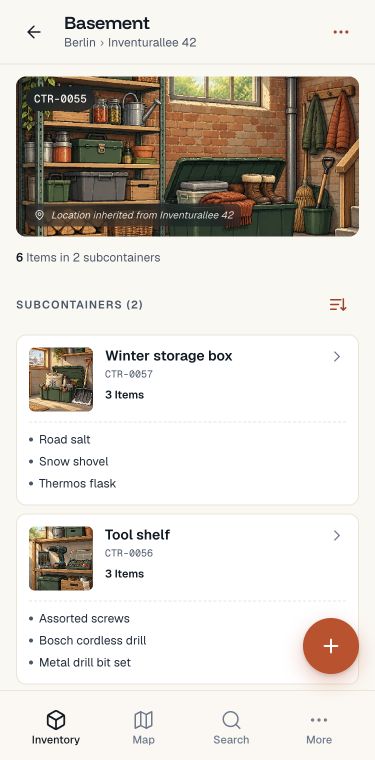
myInventory container view: basement with subcontainers and a contents preview
Container

Boxes on shelves in basements.

One container sits inside another, up to ten levels deep. Items can sit at every level, not just at the bottom. The detail view clearly separates what is directly here from what is stored further inside.

Berlin›Inventurallee 42›Basement›Tool shelf
Recognition

Take a photo. AI recognizes what’s in it.

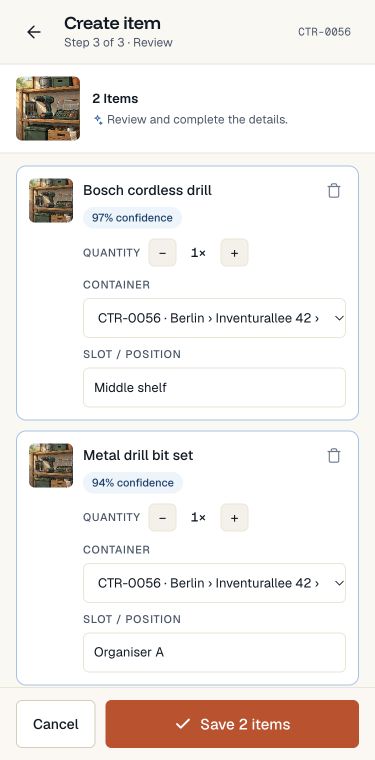
Put several items in the picture at once. Recognition separates them and suggests names and quantities. You review, correct where needed, and save. Seconds instead of minutes per box.

You can review and edit every suggestion before saving.

Review captured items with photos before saving and assign them to a container
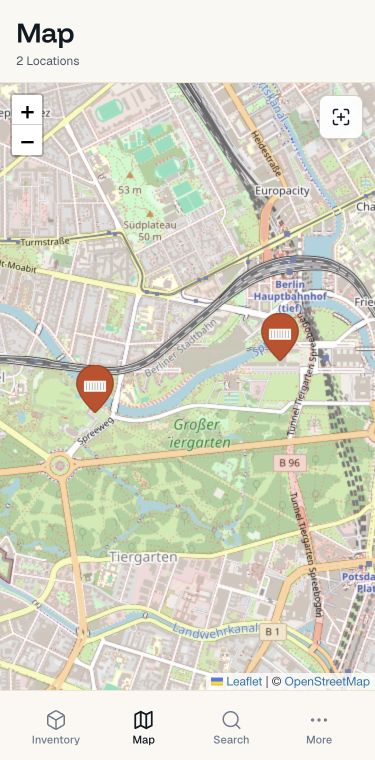
myInventory map view with two saved demo locations
Location

The box inherits its address.

Set coordinates only where they make sense: on the building, parking space or storage facility. Everything below inherits the location automatically. No GPS for every drawer.

The map shows each location as a pin, using Leaflet and OpenStreetMap.

Search

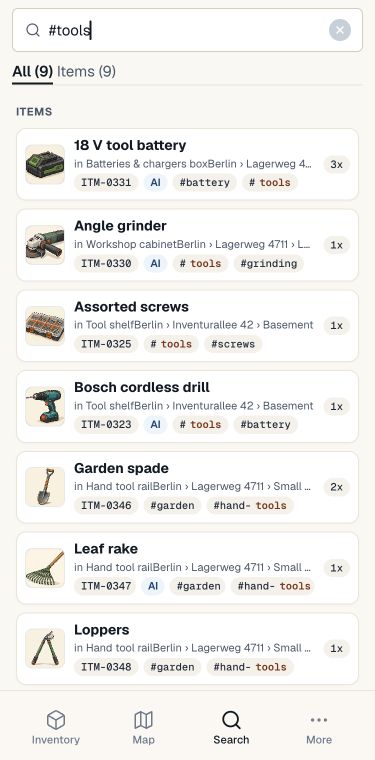
“#tools” — and you know where.

Full-text search across containers and items. Every result shows the full path, so you know not just that something is there, but exactly where.

Search containers and items, or search specifically for tags with #. Recent searches are saved.

Inventory search for the Tools tag with item photos and the path to their storage location

Inventory sharing

Yours. Mine.
Our inventory.

Family, friends or a club: when you use things together, you should also know together where they are.

Share your whole inventory or individual containers and their contents. Others open the shared inventory directly in their app — with the same items, photos and paths to the right place.

  • You decide what to share.Your whole inventory, or just the containers you need together.
  • Just view, or work together.Grant read-only access or allow others to add and edit contents.
  • One shared overview.Switch between your own and shared inventories.
Get started together
Example · shared inventory
Current inventoryClub · Equipment room
Allow changes
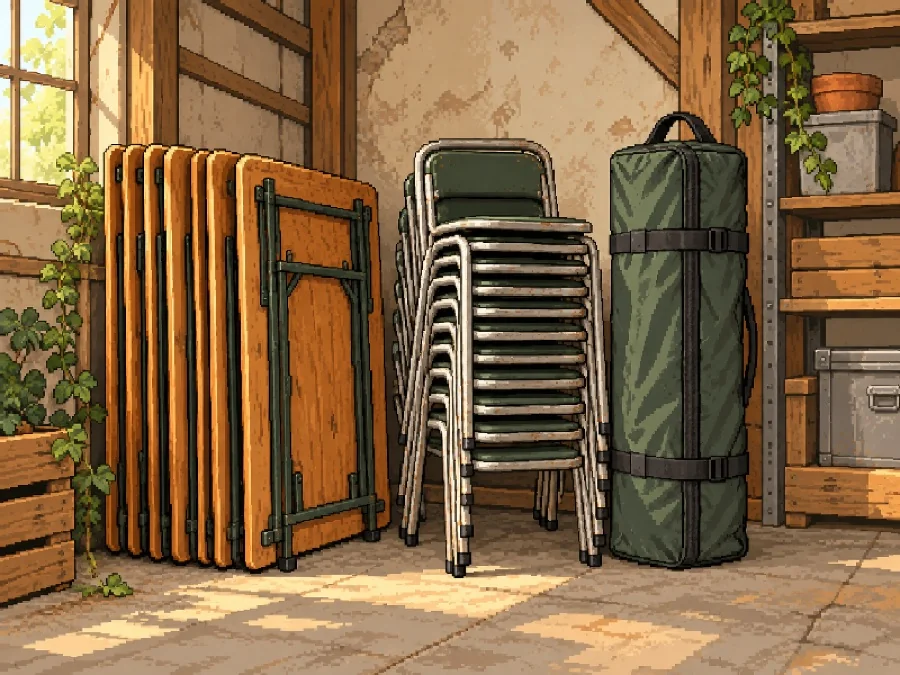
Club storage with shared event equipmentEverything for the next event
What we use together3 items
Folding gazebo
Folding gazeboIn the carry bag
1×
Folding table
Folding tableAgainst the wall
2×
Stacking chair
Stacking chairIn the stack
8×
AAnna Allow changes
JJonas Read-only

Don’t just find it. Keep track of it.

Who has it? When is it coming back?
What expires soon?

Your inventory follows things beyond putting them away. Loans, warranties and reminders each have their own place in the app.

Lent out. Not forgotten.

Record who has an item and when it should come back. The overview shows active and returned loans, and highlights overdue returns.

Loans Active
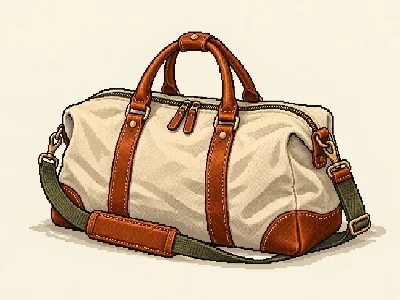
Weekender bag
Weekender bagAnna · Due back yesterday
Return overdue

Warranties you can keep track of.

Purchase date and warranty period stay with the item. The warranty overview shows at a glance what expires soon and which warranties have already expired.

Warranty Expiring soon
Bosch cordless drill
Bosch cordless drillTool shelf · Middle shelf
Warranty ends in 7 days

The app keeps track for you.

In-app notices show overdue loans and expiring warranties. Enable email or push reminders too, so you remember without having to check.

Reminders
Time to return itThe weekender bag is overdue.
Warranty expires soonYour cordless drill: 7 days left.
In the app · Email · Push

Illustrative examples using items from the demo inventory. Email and push require activation.

The contents move with it.

Move containers and their items to a new place — including shared inventories where you have permission to edit.

Always with you. As a PWA too.

Open it in your browser and add it to your home screen. No app store, with automatic updates.

Before

The box is closed. What was inside?

  • —Opening three boxes to find a cordless drill.
  • —Buying the same drill twice because nobody knew it was in the basement.
  • —After the move: forty boxes, none labelled.
  • —The club projector is on loan. Nobody remembers who has it.
After

Take a photo once. Then find, instead of searching.

  • One photo per box, and its contents become a list.
  • Search for “Spax” and see the full path down to the drawer.
  • Moving house: move the box in your inventory, with everything inside.
  • Loans are recorded, including the person and date.
Pricing

Start small, decide later.

During the beta, Plus is free and no payment details are required. The following plans apply afterwards.

Free

0.00 €

Free forever

Container
5
Items
50
AI actions / day
2
Shares
0
Advertising
Planned
Try for free
Pro

2.95 € / month

or 29.50 € per year

Container
25
Items
250
AI actions / day
10
Shares
2
Advertising
No
Try for free
Plus

6.95 € / month

or 69.50 € per year

Container
100
Items
1000
AI actions / day
50
Shares
20
Advertising
No
Try for free
Business

Custom

Limits to suit your needs · Multiple locations and teams · A personal contact

Container
By agreement
Items
By agreement
AI actions / day
By agreement
Shares
By agreement
Contact us

Prices include VAT.

Advertising is planned for Free and has not yet been rolled out.

FAQ

Questions before you register.

Can’t find your question? Write to us: via the contact form

What does the beta cost?+
Nothing. During the beta, Plus is free and no payment details are required. Afterwards, you decide whether to stay on Free or subscribe to Pro or Plus. Your existing items and containers are kept. On Free, you can add new items and containers only while you are below the respective Free limit.
What happens to my data after the beta?+
Your existing items and containers, including the full container hierarchy, are kept even if your inventory exceeds the Free limits. Once a limit is reached or exceeded, you cannot add more items or containers on Free. All existing items remain visible, searchable and editable. You can still move them within your inventory. A higher plan lets you add more items and containers up to its limits. Export is planned but is not available yet. If you do not want to continue, we will delete your data on request.
Where are my photos and data stored?+
On servers in Germany. Your photos belong to you. We plan to introduce advertising on Free, which may involve processing data to select relevant ads.
What exactly does AI do with my photos?+
The photo is sent to AI once for image recognition. You receive a list of recognized items and quantities to review before saving. Your photos are not used to train AI models.
How does sharing work?+
You can share individual containers or your entire inventory with others. You choose whether they can only view the contents or also edit them. Pro has 2 shares, Plus 20. Both owners and recipients need Pro or Plus. After a downgrade, shares above the limit are paused but remain saved.
What if I reach the Free limits?+
You will see a notice when you reach a limit. Everything you already have stays readable and searchable — you just cannot add anything new until you clear some space or change plans.
Do I need an app store?+
No. myInventory runs in your browser and can be added to your home screen with a tap. No app-store installation or approval, and updates arrive automatically.
Does it work on iPhone and Android?+
On both, and on desktop too. Use your phone to add items right at the container, and your desktop for an overview, search and maps. Same app, same data.
Can I export my inventory?+
Export as CSV or JSON, including the container hierarchy and photo references, is planned. This feature is not available yet.

The next box you close doesn’t have to be a mystery.

Register, take a photo, and see for yourself. During the beta, Plus is free and no payment details are required.

Register free for the beta

Adjust crop

Move the photo. This position applies to all thumbnails. The full photo is preserved.

Photo preview
Square preview

The visible area depends on the image dimensions.